NOKIA ACCIDENTALLY LEAKS AN INTERNATIONAL WHITE LUMIA 900?

Did Nokia accidentally reveal a white Lumia 900 on Facebook?

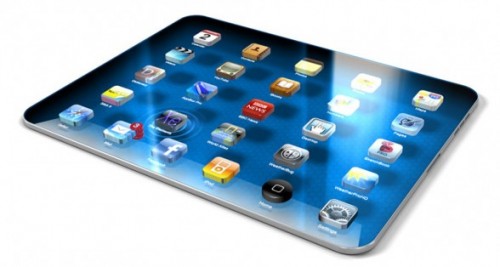
Next iDevice from apple

With all the iDevices found in the market from iPhone, iPod Touch, iPads to Macbooks, do you think there’s still lacking?

The future of smartphones from the world of concept phones

Ever since the birth of science fiction in the 19th century people have enjoyed predicting what the future holds for technology.

Thursday, 5 January 2012

The importance of backup


We’ve all been there, sat staring at the computer with our hands behind our heads in dismay as our hard drive fails and all those brilliant holiday snaps are lost and gone forever. You know that no amount of turning it off and on again will help recover them, but you do it anyway.  
It is then that you realize that you have all your passwords saved in one vital document on your desktop and that all-important presentation you have to do tomorrow morning at work has disappeared into the world of unrecoverable data.
This avoidable catastrophe always involves a lot of swearing involved, a lot of turning the computer off at the mains and giving it a good crack to give it some encouragement to whirr back to life. Yeah, it’s happened to the best of us, and we’ve all learnt from our mistakes and invested in some form of backup from Western Digital or an online cloud drive. Next time you will too, right?
We thought as much, so here’s our simple guide of four easy options to backup and save yourself the stress and even money of trying to recover lost files.

CD/DVD

Copying important files onto CDs and DVDs is a simple, if almost prehistoric, way of lowering the risk of losing everything. However, if you backup as often as you should, you’ll end up with piles and piles of old CDs with old files all over your office or spare bedroom. From bookcases, to shelves, to drawers and floors covered from top to bottom in dust-gathering discs, you’ll be surrounded by a sea of data that will take hours to filter through to find what you need.

USB sticks

Uploading your files to a small flash drive is much simpler than creating and sorting through multiple discs. However, with small amounts of memory you’ll have to use several to backup everything you need to. If you choose to use mini flash drives to store all of your photos, music and work files, keep them in a safe place as they are easily lost under car seats, in handbags and in the pub.

External hard drive

Attach a Western Digital external hard drive to your computer to backup your files with simplicity and ease. Just keep the hard drive hooked up to your PC or Mac and let the hardware do the hard work. External hard drives can continuously update and backup everything, so you’ll never need to worry if you forget to drag something across.

Online backup

If you don’t want to backup your backup, go for an online service which will come hand-in-hand with yearly fees in return for peace of mind. This is the easy solution for anyone who constantly forgets to keep their documents safe. There are some free options available online, but they often don’t give you the luxury of a full computer backup.

Internet Explorer 6 laid to rest after 10 years of service


Mourning the passing of a trusted companion can be tough to cope with but for Microsoft, there’s reason to celebrate. To mark the demise of Internet Explorer 6, Microsoft baked a cake and popped open the proverbial champagne as IE6 usage in the US has dipped below 1 percent.
The sixth major revision of Internet Explorer, IE6 was initially released in August 2001 right around the time that work on Windows XP was being wrapped up. The browser lived a long and prosperous life but Father Time eventually caught up to IE6 and it became the butt of jokes worldwide.
In a recent blog post, director of Internet Explorer marketing Roger Capriotti admits that Microsoft has been as eager as anyone else to see IE6 fade away. In fact, Redmond even launched an IE6 Countdown site last March to help accelerate the process. The site has generated over 2.7 million visitors and 5.6 million page views in less than a year. That day has finally come as the US joins Austria, Poland, Sweden, Denmark, Finland and Norway in dropping below 1 percent usage of IE6.
Capriotti hopes that the trend continues in other parts of the world where developers and IT professionals can consider the product a low priority and stop wasting time supporting such an outdated browser. Naturally, he goes on to urge these users to move to a more modern browser like IE8 or IE9.

Windows 8 refresh and reset options detailed


Microsoft has been steadily releasing information about its upcoming operating system on its MSDN Building Windows 8 blog, providing those interested with snippets of new functionality as we draw ever closer to its release. The latest news from the company's blog involve the refresh and reset PC functions on Windows 8.
"We’ve built two new features in Windows 8 that can help you get your PCs back to a "good state" when they’re not working their best, or back to the "factory state" when you’re about to give them to someone else or decommission them," Desmond Lee said in his post on the MSDN blog.
It will enable users of the OS to reset their computer in much the same way other devices like smartphones can be reset without the need for any discs or third party utilities. The new option will be available from the control panel, the pre-boot recovery environment and via a bootable USB drive, which should cover any state of repair that your computer might be experiencing.
Microsoft has thought of users storing sensitive data as well, with Windows 8 introducing the option to securely erase the hard disk. It strikes a balance between security and the time it takes to wipe the disk. It usually takes hours/days to scrub a disk with multiple passes, which is often overkill for those using a computer for social purposes.
"Instead of just formatting the drive, choosing the "thorough" option will write random patterns to every sector of the drive, overwriting any existing data visible to the operating system. Even if someone removes the drive from your PC, your data will still not be easily recoverable without the use of special equipment that is prohibitively expensive for most people," Lee wrote.
The refresh feature is another step in the right direction. It will enable users of the OS to restore the computer back to its original installed state. Essentially, it will keep all personal files and personalization settings intact, but remove all applications installed via CDs or the internet as well as changing most settings back to the original, newly installed state.
Wireless settings, mobile broadband connections, BitLocker and personalization settings as well as each user's files will all remain intact during a refresh. As will account login settings and metro applications. Other settings like firewall permissions and file type associations will be removed, as these are commonly the cause of computer issues. The exact list will be tweaked over time according to Lee.
It would usually be a last resort, but the capability to restore the OS back to good working state with settings and data intact without the use of any discs or having to enter product keys will certainly make life easier for users. They would no longer need to perform a backup before refreshing Windows.
Microsoft has also considered those of you that prefer to install your applications or add and remove Windows features and then make a system image to use at a later time. It will be possible to create your own custom refresh image using a new command-line tool.
The detailed recovery times are impressive as well. In most cases, it will take less than nine minutes to refresh a computer back to its "good working" state whilst maintaining personalization settings and data. That is without question a saving of several hours for those of you (like me) with a lot of software to load on a fresh install of Windows, if you take advantage of the custom image tool.
The reset times are equally impressive, with a thorough reset of the computer taking just under 24 minutes to achieve. A quick reset will have you back up and running in under seven minutes, a feature that users and system administrators will all certainly be relieved to see.

Wednesday, 4 January 2012

nokia's upcoming phones


Nokia is planning to launch the Lumia 900 Ace (codenamed Eloko) at the 2012 Consumer Electronics Show next week in Las Vegas. Specifications and images have leaked out ahead of the introduction that paints a pretty good picture as to what we can expect from Nokia’s flagship Windows Phone.
For starters, the handset will feature a 1.4GHz processor, a 4.3-inch WVGA Nokia ClearBlack AMOLED display, 512MB of RAM and an 8MP rear-facing camera. At 4.3-inches, the screen is a bit larger than the 3.7-inch display found on the Lumia 800 but the resolution remains the same. The phone is said to ship with the Mango build of Windows Phone and includes an 1830mAh battery. 
PocketNow is pretty certain that the device will be sold carrier locked but that it will contain the 1700MHz band required to work on T-Mobile’s 3G network. This means that a workaround to run the 900 via T-Mobile will likely surface soon after launch.
The Ace weighs in at 160 grams, just 18 grams more than the Lumia 800 which is likely due to the larger screen and the addition of an LTE radio. Thickness is expected to be around 12 millimeters.
There’s no mention of pricing for Nokia’s high-end Lumia phone but we should know more next week at CES. In addition to the 900, Nokia is rumored to be preparing another mid-range device for launch as well, the Lumia 719. The 900 Ace is set to launch with AT&T and we suspect the 719 would follow the same path.

Everything You Need to Master Your New Smartphone


Well, first of all let’s agree to this simple fact that “all smartphones aren’t that smart also”. And many of them will disappoint you more than you would ever imagine. So, in case you are one among the list of those who are fed up of holding on with an idiotic and not so smart cell, then we are at your rescue. Here are some quick tips that could make your companionship with your new device more comfortable. So, give it a thought before dumping your cell phone too early. It could be a bad idea. 

Battery Blues

Battery issues are not new for regular smartphone users. They could be the most likely reason for you to get rid of your device. But you don’t need to make any hurry. One thing that you should always control yourself from doing is charging you phone right away. Just let that left up charge get completely drained off and then only plug-in for charging. Charging your smartphone when the battery is only half way down could decrease the efficient charging in the future. Well, occasionally you can also make a slip to this rule, but sticking to it will only ensure a healthy and long life for your cellphone.

Data shifting

The main key to shifting you data successfully from one android to another lies in three golden words i.e. “One Good Sync”. But this is not the same case if the transfer is done from an idiotic phone to a smart one. You can keep the following things in mind to get it done correctly:
  • The best and simplest option is to employ you carrier to perform the task, especially in case you are using the same carrier. So pull down at your nearest service center to get the work done. Don’t forget to ask the fee that they usually charge in case you are switching carriers.
  • For GSM phone users, SIM card provides for an easy transfer. You just need to find the option that will enable you to ‘transfer contacts’ to a SIM card. When you are done with writing your contacts on the SIM, take your old card out and insert it into the new phone. But, yes make sure that you carefully transfer all you contacts onto the new SIM.
  • Google Sync also comes very handy to transfer data in some of the smartphones, that includes Nokia, Blackberry, Windows and Iphone. Once you are done with adding your contacts into your Google acoount, you can return to the cloud and let it update contacts. This Google account thing also works for android. You just need to sign up from your new phone and and do the syncing. You can also sign up for a free iCloud to transfer data for your old iPhone to the new one.

Synching Blues

For Google and Apple users, you have the iTunes that is one single stop for you to sync songs, videos, books, photos and apps. Well, many of you will be in favor of the Cloud, but in case you are not a cloud fan, then iTunes is there to sync your email, calendar and contacts. Now comes the Blackberry, where you have Blackberry Desktop Manager to solve the purpose. You just need to download the app to get through all the syncing business. You can too opt for Doubletwist, a cross platform app if you have an Android or Blackberry.

Apps

Who can imagine a Smartphone without apps??? Smartphones are all about the apps, but the confusion lies in which are the best picks. So choose smartly and the ones you would enjoy the most.

Accessories and the confusion

Well, your smartphone might not be perfect, but that still doesn’t call for going over the top with accessories. They certainly can’t make up for the unavoidable slip-ups. Over-indulgence in such items would only burn another hole in your pocket. So, here goes the list of some items that are worthwhile to splurge on:
  1. Headphones: Headphones are your smartphones ultimate soul mate. When it comes to smartphone, some of you won’t even give your iPod a second a look to listen your favorite playlist. But the first and the most important thing you should be doing is to trash away the headphones that came along with your phone. In case you want to go frugal, then Sennheiser HD280 is a good option.
  2. Case: First of all, remember that no case and I mean no case could save your smartphone after hitting a hard floor. But still something is always better than nothing. So for iPhone lovers you have thousands of options to choose from as per your personality. But this might get tougher for other smartphone users. So the best way out is to go for a perfect fit that would properly case your little precious sweetheart rather wasting money on those stylish but misfit cases. Never ever make any compromises with the size and shape when it comes to your smartphone safety.
  3. Storage and Cables: Excluding the iPhone users, others will get an expandable storage arrangement for microSD card. In case your device has less than 2 GB internal storage, then you can easily go for 8GB microcards at pretty cheaper prices. If we talk about cables, then it’s always for the good to have an extra charging cable. You have an iPod dock connector for iPhones and for others a mini USB cable. Such cables will never disaapoint during a vacation or a road trip.

Tuesday, 27 December 2011

Top 10 Most Anticipated Gadgets of 2012


It’s that time of the year again, and we’re not talking about Christmas here. It is that time where the beginning of the new year means a whole new slew of gadgets to look forward to. Now, as far as 2011 is concerned, many were thrilled upon the news of the iPad 2 and many were also disappointed with the iPhone 4S not being the iPhone 5. For the other end of the spectrum, we got a slew of Android devices like the Galaxy Nexus and Galaxy Note, as well as the release of Ice Cream Sandwich to end the year. 2011 also saw the tie-up of Microsoft and Nokia to hopefully bring in new gadgets, as well as bring Nokia some hard-needed revenue. With all of these said, what could we expect in 2012, the year when the world’s supposed to end?
iPhone 5
Despite the iPhone 4S being a great device overall, the lack of physical changes, as well as the simple addition of “S” to the predecessor’s moniker made people skip this release. It is in this vein that many are really anticipating and eagerly waiting for an “actual” new iPhone. Speculations like the aluminum backing and a bigger 4 inch screen is making many excited. Will Apple actually make this wishful thinking a reality?
iPad 3
The iPad was a sure game-changer when it came out a couple of years ago. Then it just got a lot better when the iPad 2 got released during the first half of 2011. So how will they improve on this tried and tested device/concept with its third iteration? Add to that the fact that we lost Steve Jobs late in 2011, will there be chances that the iPad will go on a different route under a different direction? Well, everyone’s hoping for a quad-core processor to power this thing, making it the next best mobile gaming device. Again, another wishful thinking for the Apple fans?
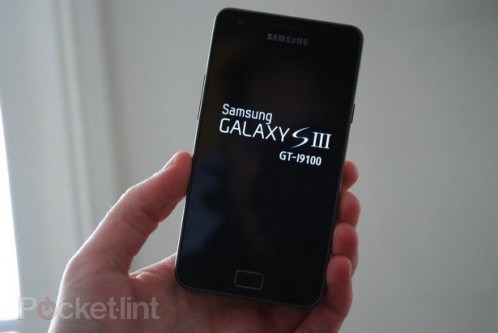
Samsung Galaxy SIII
Ok, don’t get us wrong on this, but while the Galaxy Nexus is a nice phone in itself, it doesn’t have the vibe that the Galaxy S, or the SII had when they were released. Given that Samsung really got a lot with the SII, selling around 10 million copies of the phone, many are left to predict that they’ll continue the winning formula with the third installment of the Galaxy S series of phones – hopefully to catch up with Apple and it’s flagship device.
Xbox 720?
It’s been a while since the latest generation of gaming consoles were released and we believe that they’re nearing the end of their cycles. With that said, the loudest of all these rumored next-generation consoles is Microsoft’s Xbox 720. It’s a no brainer how they came up with that name but here’s the rumored specs for the console. It is said to have an 8-core processor, supports 3D, multiTV, live TV and webcam functionality (i.e. a built-in Kinect?). In any case, Microsoft is rumored to release the 360′s successor in 2012.
Nintendo Wii U
Being at a technological disadvantage against the Playstation 3 and Xbox 360 didn’t stop the Wii from being a household name in gaming and entertainment overall. It’s focus on interactivity even forced the competition to release products similar to the Wii’s concept. So how will Nintendo up their game? Simple, just add a “U” to the Wii. Yeah, that name still makes us do weird reactions, but Nintendo is betting that the Wii U will once again dominate the gaming scene with the addition of a new controller with a built-in 6-inch touch screen among the other improvements they’ve placed in it. Nintendo is set to release the Wii U in March 2012 and until then, we can only speculate of how it will fare.
PlayStation Vita
Trying to forget the gadget that was the PSP Go, Sony is eyeing on the success that the PlayStation Vita will bring as much as the original had which sold almost 90 million units in its entirety. And this is one small beast never to be underestimated with its quad-core processor a front touch screen and a rear touch pad, two analog sticks and the socially-integrated UI that still is a lot of getting used to. And while the PSP Vita recently got a Japanese release in mid-December, those in the western hemisphere would have to wait until February to get their hands on this gaming device.
Quad-Core Mobile Phones/Tablets
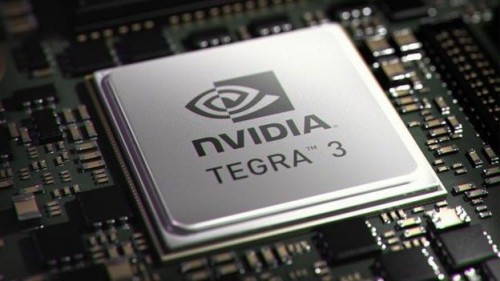
With Nvidia introducing their Tegra 3 quad-core processor, gone are the days where desktops and high-end laptops were the only ones to get the quad-core treatment. ASUS immediately jumped on the gun with their Transformer Prime (despite being sued for the name) and placed the Tegra 3 chipset to power this device. This proved to be a great choice as the Transformer Prime was indeed a very fast tablet and this sets the precedence for more quad-core devices to come out of the market, hopefully in 2012. So yeah, mobile computing will really be a notch higher with these kinds of devices coming.
MacBook Pro + Retina Display
There’s no denying that any Apple device that has Retina Display in it gives out the most beautiful of screen visuals. And people are actually wishing that devices other than the iPhone be equipped with the same screen. Specifically, they wanted their MacBook Pros to have a resolution on par with the Retina Display or something at a resolution of 2880 x 1800. Now recent rumors were pointing to this feature and people are hoping that they’ll be gettng this one in 2012. But again, keep your grains of salt handy.
"UltraBooks"
You’re probably wondering, "What the heck are UltraBooks?" Well, take the concept of NetBooks and make them thinner yet powerful. Not much is known of how portable or how powerful these UltraBooks may be, but the leading manufacturers (i.e. ASUS, Acer, Samsung) are further making their devices thinner and at the same time, with the dawn of the more powerful mobile devices, it is possible to have these cheaper laptops on higher-end specifications.
Apple HD-TV
The list makes a full circle with another possible offering from Apple. This time, it is the expected release of their Apple HD-TV. Yep, it’s not just that small box that you’ve known Apple TV to be. This is an actual TV set, ranging from 15 to 19 inches that is bundled with iOS inside. Add to that, you can actually play games, run apps and integrate social networking sites as much as you do with your iPhone or iPad. So yeah, even in TV sets, Samsung and Apple are destined to be rivals.

Friday, 23 December 2011

Anti-SOPA activists launch GoDaddy boycott


SOPA opponents have launched a concerted boycott of domain name registrar GoDaddy after its support for the anti-piracy legislation became widely publicized.
godaddy-boycott
The great battle for the open Internet continues today, with opponents of the Stop Online Piracy Act (SOPA) and the Protect IP Act (PIPA) launching a boycott of domain name registrar GoDaddy, which has written the House of Representatives to express its strong support of the controversial legislation.
Earlier today, Reddit user selfprodigy submitted a post to Reddit.com, the title of which reads, “GoDaddy supports SOPA, I’m transferring 51 domains & suggesting a move your domain day.” That ‘move your domain day’ appears to have started. The post has sat atop Reddit for hours, with countless comments expressing their support for the boycott, and many saying that they have transferred their domains to another registrar.
While Silicon Valley firms like Google, Facebook and Twitter overwhelmingly oppose SOPA on the grounds that it will usher in unprecedented censorship online, suffocate innovation, and endanger the domain name system (DNS) upon which the Internet is built, GoDaddy brushes aside all these arguments, and claims that the bill is needed to “identify and disable all types of illegal activity on the Internet.”
In addition to claiming that SOPA “[is] not going to break the Internet” by tampering with the DNS — something dozens of technical experts say is a serious risk — GoDaddy also tells the House that SOPA “cannot reasonably be equated with censorship.”
“This bill promotes action pursuant to preexisting criminal and civil laws,” continues GoDaddy in its filing with the House. “Not only is there no First Amendment concern, but the notion that we should turn a blind eye to criminal conduct because other countries may take oppressive steps in response is an affront to the very fabric of this nation – that we abide by a set rule of laws, regardless of what actions other countries choose to take or not take.”
This goes firmly against the Stanford Law Review’s take on SOPA, which is that it will, in fact, “break the Internet,” and violate the Constitution in the process.
“The Supreme Court has made it abundantly clear that governmental action suppressing speech, if taken prior to an adversary proceeding and subsequent judicial determination that the speech in question is unlawful, is a presumptively unconstitutional ‘prior restraint,’ writes the Stanford Law Review. “In other words, it is the ‘most serious and the least tolerable infringement on First Amendment rights,’ permissible only in the narrowest range of circumstances. The Constitution requires a court ‘to make a final determination’ that the material in question is unlawful ‘after an adversary hearing before the material is completely removed from circulation.’ The procedures outlined in both bills fail this fundamental constitutional test.”
(Here is the link for the full Stanford Law Review article. At the time of this writing, the site is, however, offline for reasons unknown to us.)
Regardless of whether GoDaddy is right or wrong about the impact of SOPA, it remains incomprehensible as to why a company that is likely in violation of the bill would support Congress voting it into law.
As TechDirt’s Mike Masnik, who has covered SOPA exhaustively, notes, GoDaddy would fall under the SOPA definition of a “site dedicated to the theft of US property,” since it offers “goods or services in a manner that engages in, enables, or facilitates… the sale, distribution, or promotion of goods, services, or materials bearing a counterfeit mark.”
In other words: GoDaddy is pushing for legislation that, as written, could kill its business.
Still, the company is standing by its support for SOPA, and reposted its letter to the House on its website, after a flood of calls and emails poured in from anti-SOPA activists.
With an untold number of customers fleeing from GoDaddy, competing registrars have swooped in to pick up the slack. Many of them have begun offering promotional codes to draw in disgruntled customers. They include:
• Name.com: Use code “NODADDY” for 10 percent off transfer-in domains, and 40 percent off hosting.
• HostGator.com: Use code “NOSOPA” for 50 percent off the first month of hosting.
• NameCheap.com: Use “BYEBYEGD” or “SOPASucks” or “XMASJOY” for a discount.
Of course, GoDaddy is far from the only company that supports SOPA. Check out our list of hundreds of companies that either explicitly support SOPA, or have written Congress in support of similar legislation. To see who has come out against SOPA — a much longer list — click here.
To learn how to easily transfer your domain from GoDaddy to another registrar, see these instructions.